
Free Cookie Cutter STL Generator
Make your own 3D printable cookie cutter from a simple shape, icon or outline — without CAD software or an account.
Images processed in your browser · STL download · Free to use
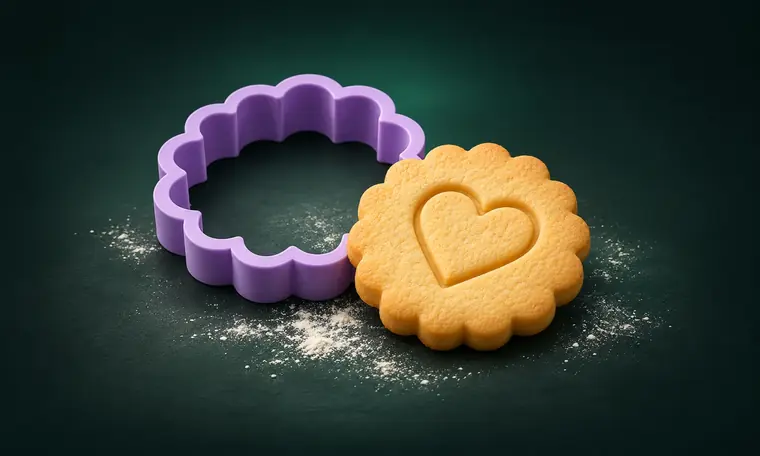
What can this tool create?
A custom cutter is mostly about the silhouette: the wall follows the outline of the design. Our generator builds that wall as a printable STL mesh with adjustable dimensions, along with a top viewing angle and an underside view so you can inspect the cutting edge before exporting.
How to create your STL
Start with a bold, solid shape. Keep narrow channels, islands and tiny details to a minimum — a cutter needs enough room to form a stable wall.
Choose Cookie Cutter in the Studio and set the outside size, wall thickness and cutter height. Use the Live Trace panel to check the silhouette.
Download the STL, inspect it layer by layer in your slicer, and test-print to confirm the cutting edge, grip and fit for your dough or craft material.
Tips before 3D printing
Which image format works?
The current generator accepts PNG, JPG and WebP. Clean single-color silhouettes are usually more reliable than photographs.
What settings should I start with?
For a standard 0.4 mm FDM nozzle, a roughly 1.6 mm wall is a practical starting point, not a guarantee. Adjust for your printer, filament and desired cutter strength.
Can I use a 3D printed cutter on food?
Food contact depends on materials, printer cleanliness, coatings and local safety guidance. Gourida 3D Studio does not certify printed items as food-safe.
Explore related free tools
Different objects need different geometry. Choose the generator that matches what you want to print.
Ready to make your first STL?
Upload a simple shape, check the outline and preview the actual mesh.