
Free Image to STL Converter
Convert a clear logo, icon or black-and-white silhouette into an extruded model you can preview and download as an STL file.
Images processed in your browser · STL download · Free to use
What can this tool create?
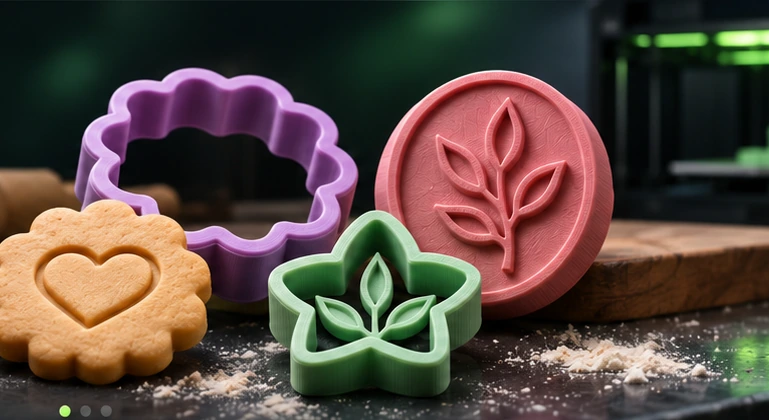
If your starting point is a flat image rather than a 3D model, Gourida 3D Studio helps you turn that outline into a simple printable object. It is particularly useful for cookie cutters, polymer clay cutters and stamps. The converter runs in your browser: you can try a built-in sample or upload a PNG, JPG or WebP image, adjust dimensions, and export STL without creating an account.
How to create your STL
Prepare a high-contrast image with a clearly defined subject and little background clutter. Transparent PNGs and bold logos often work best.
Open the Studio, select Cookie Cutter, Clay Cutter or 3D Stamp, and upload your file. Adjust sensitivity, smoothing and wall thickness.
Inspect the actual 3D geometry from top, side, perspective and underside before downloading the STL and slicing it for your printer.
Tips before 3D printing
What kinds of images work?
A flat logo, silhouette, icon or outline is ideal. Faint lines, shadows, gradients and busy photographs may produce messy contours.
Is this full photo-to-3D AI?
No. It makes shaped extrusions and reliefs from simplified outlines; it does not reconstruct a complete 3D statue of a person or animal.
How do I print the STL?
Open it in a slicer such as Bambu Studio, PrusaSlicer, Cura or OrcaSlicer, choose your actual printer and filament, inspect the layers and start with a test print.
Explore related free tools
Different objects need different geometry. Choose the generator that matches what you want to print.
Ready to make your first STL?
Upload a simple shape, check the outline and preview the actual mesh.